Developers: Server Rendered Schema JSON-LD for Ecommerce Rich Results

Priority: add Product with a nested Offer, AggregateRating, and ProductGroup JSON-LD in the initial HTML your server returns, not through client-side JavaScript. Those three schema types unlock merchant listings and rich-result eligibility, cover variant products without duplicate content, and give Google the price, availability, and rating data it needs to build a shopping-ready snippet. Once it’s live, validate it at Validator and confirm eligibility in Search Console.
TL;DR:
- Adding schema types directly in the server-rendered HTML ensures Google can reliably process product,Offer, and ProductGroup data, avoiding issues with client-side generated markup.
- Properly setting up Product, Offer, and AggregateRating schemas with accurate prices, availability, and reviews increases the chances of earning rich snippets in search results.
- Implementing ProductGroup for variants prevents review dilution and duplicate content, consolidating ratings and improving search visibility across sizes and colors.
- Prioritizing core data like price, availability, and proper identifiers yields more search benefit than focusing on optional features or multiple properties.
- Using a template-based approach and monitoring with Search Console and Merchant Center minimizes errors, speeds up validation, and maintains accuracy during large catalog or site migrations.
Table of Contents
- What schema types does an ecommerce site actually need?
- Merchant Listings vs. Product Snippets: Which Should You Target?
- How Do You Mark Up Product Variants Correctly?
- Implementation Best Practices Developers Get Wrong
- How Do You Validate Schema and Catch Errors Early?
- What Results Should You Expect After Rollout?
- How Vertical Brands Approaches Ecommerce Schema Rollouts
- What Actually Moves the Needle Here
- How Vertical Brands Handles Schema and Ecommerce Growth
- Sources
- FAQ
What schema types does an ecommerce site actually need?
Most stores overbuild this. You need a specific set of schema types, each with a short list of required properties, and everything past that is optional polish.
Product + Offer is the foundation. Google’s structured data documentation lists the properties that determine whether your product qualifies for a rich result at all:
name,description, andimageidentify the product itself.offers.priceandoffers.priceCurrencytell Google what it costs and in what currency.offers.availability(InStock, OutOfStock, PreOrder, BackOrder) signals purchasability.offers.itemConditionmatters for anything that isn’t sold new.
AggregateRating and Review add the star rating you see in search results. You need ratingValue, reviewCount (or ratingCount), and ideally at least one nested Review object with author and reviewBody. Fake or incentivized ratings here get pages penalized, so only mark up reviews you actually collect.
BreadcrumbList and SiteNavigationElement aren’t glamorous, but they tell Google how your catalog is organized, and BreadcrumbList frequently replaces the raw URL in search results with a readable path.
Organization, paired with MerchantReturnPolicy, documents your store-level policies once instead of repeating them on every product. Google’s MerchantReturnPolicy schema can live at the Organization level and get referenced by individual offers.
ImageObject and VideoObject are worth adding only when a product page has genuinely useful visual content beyond the primary image. A single photo doesn’t need its own ImageObject; a 360-degree product spin or a demo video does.
Merchant Listings vs. Product Snippets: Which Should You Target?
Google treats these as two different outcomes, and confusing them is the most common reason ecommerce sites underperform on rich results. A product snippet is an informational enhancement, a star rating or price shown next to an organic listing. A merchant listing is a purchase-intent surface, the kind of result that shows up with shipping cost, return window, and buy-now framing attached. Google’s own guidance on ecommerce structured data is blunt about it: merchant listings require more granular data, and Google recommends supplying as many properties as possible to increase eligibility across surfaces.
The extra properties that separate a basic product snippet from full merchant eligibility include:
shippingDetailswith cost, destination, and transit time.hasMerchantReturnPolicyat the offer level, not just buried in a footer link.- Delivery lead time and handling time, especially for made-to-order or backordered items.
If your dev resources are limited, add these properties to your highest-traffic purchase pages first, then extend catalog-wide. Running structured data on the page alongside a Google Merchant Center feed gives you both paths to eligibility instead of betting on one.
How Do You Mark Up Product Variants Correctly?
Variants (size, color, material) are where most schema implementations quietly break. Marking up every color and size as a separate, unlinked Product creates duplicate-content confusion and splits your reviews across a dozen near-identical pages. Google’s product variant guidance solves this with ProductGroup.
The pattern works like this: wrap the whole variant set in a ProductGroup with a unique productGroupID, list which attributes vary using variesBy (color, size, material, pattern), and link each individual variant back with hasVariant. Supported variant attributes include color, size, suggestedAge, suggestedGender, material, and pattern.
- If all variants live on one URL with a selector (common for apparel), use a single ProductGroup with each variant’s Offer nested inside.
- If each variant has its own URL, mark up each as a Product and reference the shared parent using
inProductGroupWithID, pointing back to the sameproductGroupID. - Keep
productGroupIDstable across deploys. Changing it disconnects your accumulated review and rating signals from the group.
Done right, this keeps every size and color discoverable individually while consolidating ratings and avoiding the duplication penalty that plagues sites that treat each SKU as an island.
Implementation Best Practices Developers Get Wrong
Most schema failures aren’t conceptual, they’re mechanical. A handful of implementation habits prevent nearly every common issue:
- Serve JSON-LD in the initial HTML. Structured data generated only by client-side JavaScript isn’t reliably processed. Search Engine Journal reported that Google now explicitly recommends server-rendered markup for product pages, because crawlers don’t always wait for JS execution to complete.
- Match visible content exactly. If your page shows $49.99 and your schema says $45.00, that’s a policy violation, not a rounding error. Google’s Merchant Center setup guidance is explicit that structured data values must match what shoppers actually see.
- Format price and currency correctly. Use a period as the decimal separator regardless of your site’s locale display, and always include
priceCurrencyas an ISO code (USD, GBP, EUR). - Handle multi-currency with multiple Offer objects, one per currency, rather than trying to cram conversions into a single offer.
- Use stable identifiers. SKUs and GTINs should never change once assigned; they’re how Google tracks a product across price and availability updates over time.
- Build a template-level generator, not hand-coded JSON-LD per page. For catalogs beyond a few hundred SKUs, your CMS or ecommerce platform should generate this automatically from the same data feeding your product pages.
Pro Tip: Run your JSON-LD generator output through a diff check after every catalog import. A single broken price field on a template level can silently invalidate schema across thousands of product pages at once.
For catalogs at scale, page-level markup and a Merchant Center feed should run in parallel. The feed updates faster for price and inventory changes; the page markup is what search engines see when they crawl outside the feed cycle.
How Do You Validate Schema and Catch Errors Early?
Two tools do different jobs, and using only one leaves gaps. validator.schema.org checks syntax and confirms required properties are present the moment you paste in a URL or code snippet. Search Console’s Rich Results report works on a longer timeline, showing which pages Google has actually crawled, indexed, and deemed eligible, along with any errors it found post-crawl.
The errors that show up most often:
- Missing required properties, usually
priceCurrencyoravailability, silently dropped during a template refactor. - Schema present only in client-rendered HTML, invisible to crawlers that don’t execute JavaScript fully.
- Visible price or availability that doesn’t match the markup, often from caching lag.
- Malformed currency or price strings, commas instead of periods, or currency symbols left in the price field.
Before and after any deploy, run a short QA pass: spot-check a sample of variant pages, confirm dynamic price changes propagate into schema (not just the visible DOM), toggle an out-of-stock item and verify availability updates, and check Merchant Center diagnostics if you’re running a feed alongside page markup. Validator tools and Search Console genuinely check different things, syntax versus real-world eligibility, and skipping either one leaves failure modes you won’t catch until traffic drops.
What Results Should You Expect After Rollout?
Schema doesn’t guarantee a rich result. It makes you eligible for one, and Google decides when and where to show it. After a clean rollout, watch for star ratings appearing on organic listings, price and availability showing in search snippets, and improved presence on Shopping surfaces if you’re also running a Merchant Center feed.
- Changes typically surface over several weeks as Google recrawls and reprocesses pages, faster for high-traffic URLs, slower for deep catalog pages.
- Large catalogs verify faster through Merchant Center feed updates than by waiting on organic recrawl alone.
- Track impressions and click-through rate in Search Console’s Performance report, filtered by pages with rich result eligibility, alongside Shopping-specific traffic in Merchant Center if applicable.
Search Console tells you what Google sees; Merchant Center tells you what shoppers see in Shopping surfaces. Read them together, not as competing dashboards.
How Vertical Brands Approaches Ecommerce Schema Rollouts
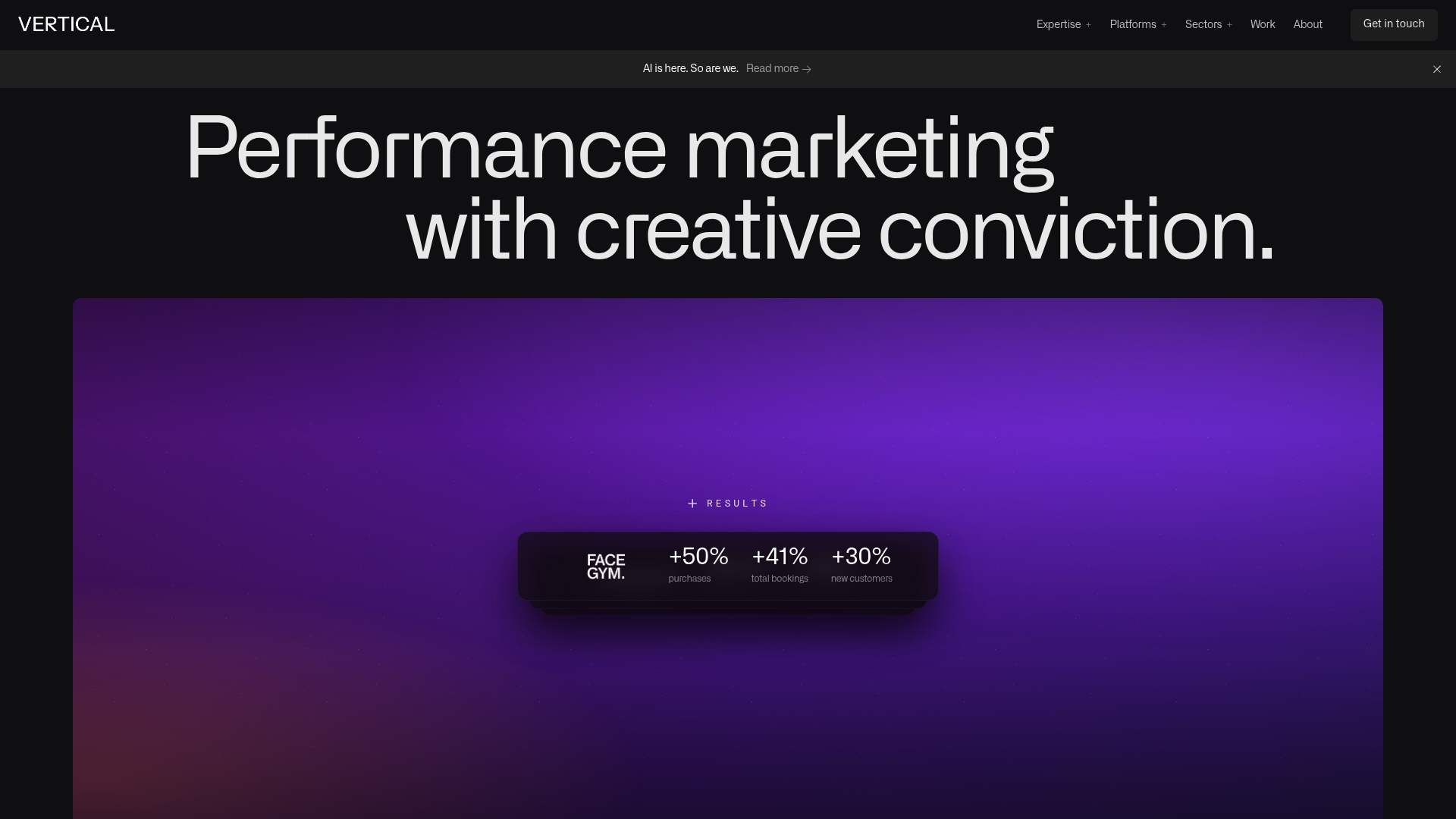
Our process runs in five stages: audit the existing markup and catalog structure, build a page template that generates JSON-LD dynamically from product data, deploy it server-side so it lands in the initial HTML, validate every template variant before launch, and monitor Search Console and Merchant Center for the following weeks. This same discipline around structured data and product page optimization is part of what drove FACEGYM’s 50% increase in purchases and 41% rise in bookings.
If you’re running a small catalog with a competent developer, implementing this internally is entirely reasonable. Once you’re managing thousands of SKUs, multiple currencies, or a platform migration, a team that has already solved these edge cases usually saves more time than it costs.
What Actually Moves the Needle Here
Most schema advice treats every property as equally important, listing thirty optional fields with no sense of priority. That’s backwards. If you implement nothing else, Product with a nested Offer and accurate availability data will do more for your visibility than a fully decorated schema with a missing price field.

The bigger blind spot is variant handling. Plenty of stores mark up Product schema correctly on paper but never touch ProductGroup, so their review signals and search visibility get fragmented across a dozen color and size URLs that Google can’t tell are related. That’s not a minor gap, it’s the difference between one strong product listing and ten weak ones competing against each other.
The other overrated fix is chasing every rich-result feature at once. Star ratings and merchant badges matter less than making sure your price, availability, and currency fields never drift out of sync with what a shopper actually sees on the page. Get the fundamentals server-rendered and accurate first. Everything else is refinement, not foundation.
— Alex
How Vertical Brands Handles Schema and Ecommerce Growth
Most agencies hand you a checklist and leave the implementation to your dev team. Vertical Brands builds and deploys the schema itself as part of integrated ecommerce management, so you’re not stuck translating Google’s documentation into working code on your own timeline.
Our work spans technical SEO, product page development, Merchant Center setup, and ongoing monitoring once markup goes live, the same workflow behind measurable gains for clients. If your catalog has outgrown a manual, page-by-page approach to structured data, or you’re planning a platform migration and want your rankings protected through the move, that’s exactly the kind of project we take on. Book a technical audit through our services page and get a clear read on where your current schema stands before you spend another sprint guessing at it.
Sources
- Share Your Product Data With Google | Google Search Central
- Schema Markup Validator
- Google adds two new best practices for product markup | Search Engine Journal
FAQ
What Is a Schema Markup Example for a Product Page?
A basic example is a Product object with name, image, and description, nested inside an Offer carrying price, priceCurrency, and availability. Google’s Product structured data page includes full JSON-LD samples you can adapt directly.
What Are the Main Types of Ecommerce Business Models?
The commonly cited categories are business-to-consumer, business-to-business, consumer-to-consumer, consumer-to-business, business-to-administration, consumer-to-administration, and direct-to-consumer. Schema implementation details covered in this guide apply mainly to business-to-consumer and direct-to-consumer product catalogs, regardless of which model a site falls under.
How Do I Check if My Website Already Has Schema Markup?
Paste any product page URL into validator.schema.org to see the detected markup and any missing required properties instantly. For a longer-term view of what Google has actually indexed and deemed eligible, check the Rich Results report in Search Console.
Does Schema Markup Actually Help SEO?
Schema markup doesn’t move organic rankings directly, but it makes pages eligible for rich results, star ratings, price, and availability shown in search, which typically improves click-through rate. Google’s own ecommerce structured data guidance confirms that accurate, complete markup is a prerequisite for these enhanced shopping experiences, not an optional extra.
Should I Implement Schema Myself or Hire an Agency?
A small catalog with a capable developer can usually implement Product, Offer, and ProductGroup schema internally using Google’s documentation as a reference. For large or multi-currency catalogs, or during a platform migration, working with a team experienced in template-level JSON-LD generation, like the services Vertical Brands offers, typically prevents the catalog-wide errors that come from hand-coding markup at scale.
Recommended

Other posts































































Stay ahead with better decisions.
Get business insights today.
