5 Step Facebook Conversions API Setup for Marketers and Developers

The Facebook Conversions API is the server-to-server method for sending conversion events directly to Meta, bypassing the browser limitations that block the Pixel. We recommend running it alongside the Pixel, not instead of it, because the two together recover events that ad blockers and browser privacy settings would otherwise erase. That combination gives Meta’s optimization systems more complete data, which translates into better targeting and lower cost per result.
TL;DR:
- Using the Conversions API alongside the Pixel recovers events blocked by ad blockers or privacy settings, improving data completeness for better ad targeting.
- Implementing the API requires careful mapping of
user_datafields, ensuring un-hashed Facebook identifiers are sent correctly, and managing event timing within Meta’s acceptable window.- Four implementation options exist: native platform integrations, server-side Google Tag Manager, hosted gateways, and custom API builds, chosen based on event complexity and control needs.
- Deduplication relies on consistent
event_idvalues across Pixel and server events, with higher event match quality achieved by adding more hashed personal identifiers.- Testing server events thoroughly in Meta’s Test Events tool before deployment prevents data loss and improves campaign performance.
Table of Contents
- What Is the Facebook Conversions API, and How Is It Different From the Pixel?
- How Does the Conversions API Actually Work?
- Which Implementation Method Fits Your Setup?
- How Do You Improve Event Match Quality and Avoid Double-Counting?
- How Do You Test and Troubleshoot Server Events?
- What Does It Cost to Implement the Conversions API?
- A Practical Checklist and What Better Tracking Actually Delivers
- Where Does CAPI Fit in a Longer-Term Measurement Strategy?
- How Vertical Brands Approaches Conversions API Projects
- Where to Find the Official Documentation
- Sources
- FAQ
What Is the Facebook Conversions API, and How Is It Different From the Pixel?
The Meta Pixel tracks visitors from inside the browser. It fires JavaScript when someone loads a page or clicks “buy,” then sends that signal straight to Meta. The Conversions API works from the other direction: your server sends the same event data directly to Meta’s endpoint, with no dependence on a browser cookie or script actually executing.
That distinction matters more than it sounds. Ad blockers, Safari’s Intelligent Tracking Prevention, and Apple’s App Tracking Transparency framework all interfere with browser-side signals in ways a server call never encounters. A checkout that spans two domains (your storefront and a hosted payment page, for instance) often breaks Pixel tracking entirely, because the cookie set on one domain doesn’t carry over to the next.
Common scenarios where the Pixel alone falls short:
- A shopper on Safari with ITP enabled, where first-party cookie lifespan is capped
- A user running an ad blocker or a privacy-focused browser extension
- A multi-domain checkout flow where the purchase event fires on a different subdomain than the one that loaded the Pixel
- Server-triggered events like subscription renewals or offline sales that never touch a browser at all
Meta’s systems treat a server event arriving through the Conversions API exactly the way they treat a Pixel event: same event taxonomy, same attribution windows, same feed into campaign optimization. The API isn’t a workaround bolted onto the side of Meta’s ad platform. It’s a parallel front door into the same system, built for the reality that browsers have become increasingly hostile to third-party measurement, a shift that has only accelerated as browser vendors phase out third-party cookies.
How Does the Conversions API Actually Work?
Every server event gets posted to a single endpoint: POST /{pixel_id}/events. The payload is a JSON object with a data array, where each entry represents one event, and Meta processes the array in order.
Each event object needs four things to be valid, according to Meta’s own developer documentation:
event_name: a standard event likePurchaseorLead, or a custom name you defineevent_time: a Unix timestamp marking when the action happened, not when you sent the requestuser_data: identifying information about the person who triggered the eventaction_source: where the event originated (website,app,phone_call,system_generated, and a handful of others)
The user_data object is where most implementation mistakes happen. Meta requires certain fields, like email, phone number, first name, and last name, to be normalized (lowercased, trimmed) and hashed with SHA-256 before they’re sent. But two of the most valuable identifiers, fbp and fbc (the browser and click ID cookies Meta sets), must be passed as plain, unhashed strings. Hashing them breaks the match entirely, because Meta compares them against the literal cookie value stored in the browser, as the OpenAPI schema makes explicit.
Two more constraints catch teams off guard. event_time has to fall within a window Meta accepts. Events timestamped too far in the past or the future get rejected outright. And Meta caps batch size per request, so high-volume senders need to queue and chunk events rather than firing one giant payload.
Pro Tip: Capture the fbc value the moment a visitor lands from a Facebook ad and write it to your CRM record right away. For purchases that close weeks after the first click, that stored value is often the only thing connecting a sale back to the original campaign.
Which Implementation Method Fits Your Setup?
Four routes exist to get server events into Meta, and the right one depends less on budget and more on how much control your event data actually needs.
- One-click or partner integrations. Platforms like Shopify offer a native Meta connection that requires no code. This is the fastest path if your event set is standard: page views, add-to-cart, purchase. Meta has pushed hard on these integrations, and practitioner guidance is consistent: try the one-click option before building anything custom.
- Server-side Google Tag Manager. A server-side GTM container sits between your site and Meta, letting you route, transform, and enrich events before they reach the API. This gives you far more flexibility than a native integration without requiring a full custom build, and it works well when you’re also sending data to other destinations.
- Hosted gateways. Managed services handle the server infrastructure and mapping for you in exchange for a recurring fee. They cut engineering time to nearly zero but sometimes support a narrower set of events than a custom build would, which is worth checking against your event list before committing.
- Direct custom API build. Full control over payload construction, timing, and enrichment logic, at the cost of ongoing engineering ownership. This route makes sense when your event set is unusual, your consent logic is complex, or your data needs to merge multiple internal systems before it reaches Meta.
Choose based on three questions: how complex is your actual event set, how granular does your consent management need to be, and where does your source-of-truth for a conversion actually live? A subscription business with delayed billing events usually outgrows a one-click integration fast. A single-product ecommerce store rarely needs anything more.
How Do You Improve Event Match Quality and Avoid Double-Counting?
Sending both Pixel and server events for the same action creates an obvious problem: Meta could count one purchase twice. Deduplication solves this using two fields together: event_id and event_name. Generate a unique event_id at the moment the action happens, on the server or in client JavaScript, and pass that identical value into both the Pixel call and the CAPI call. Meta uses the pair to recognize they’re the same event and counts it once, a mechanism laid out in Meta’s own implementation guidance.
The most common failure here isn’t a missing event_id. It’s a regenerated one, where a different system stamps a new ID onto what should be the same event. Generate it once, at the source, and carry that exact value through every downstream call.
Event Match Quality, or EMQ, is Meta’s score for how confidently it can tie an event to a real person. It improves as you add more identifiers to user_data, specifically hashed email, hashed phone number, client IP address, and user agent string. More matched signals mean better attribution and, in turn, sharper campaign optimization, an effect that shows up directly in how well Meta can scale ad spend without eroding ROAS.
A few rules keep this clean:
- Never hash
fbporfbc. Hash only the personal identifiers Meta specifies (email, phone, name, address). - Use
custom_datafor business-specific fields like order value and currency, but only include what you can justify collecting under your privacy policy. - Store
fbcin your CRM at first contact so long-latency conversions, closed weeks later, still trace back to the original ad.
Pro Tip: If your EMQ score plateaus below 6 out of 10 in Events Manager, check for a missing IP address or user agent before adding anything else. Those two fields are the cheapest EMQ gains available and the most commonly skipped.
How Do You Test and Troubleshoot Server Events?
Validate before you scale. Meta’s Test Events tool in Events Manager shows incoming server events in near real time, and it’s the fastest way to catch a broken payload before it costs you attribution data in production.
- Generate a
test_event_codein Events Manager and attach it to your server payloads during setup, exactly as described in the OpenAPI specification. - Send a handful of real events and confirm they appear in the Test Events tab with the fields you expect.
- Watch for the recurring error patterns: a rejected timestamp because
event_timefalls outside Meta’s accepted window, a missinguser_dataobject, or an unhashed field that should have been hashed. - Check the dedup tab for mismatched pairs, where a Pixel event and a server event with the same action never linked, usually because the
event_idwasn’t carried through consistently. - Reconcile weekly against your CRM or order management system as the authoritative record. Meta’s reported conversion count and your actual sales ledger will never match perfectly, but a growing gap signals a payload problem worth chasing down.
What Does It Cost to Implement the Conversions API?
The Conversions API itself carries no fee. Meta doesn’t charge for server-side event delivery, so every dollar you spend on implementation goes toward the route you choose, not the API itself, a distinction laid out clearly in scope-based cost guidance.
What actually drives cost:
- Engineering hours needed for a custom build or a server-side GTM container
- Hosting fees for the server that sits between your site and Meta
- Recurring charges if you choose a hosted gateway instead of building in-house
- Event volume and complexity, since a business with a dozen custom event types needs more mapping work than one tracking three standard actions
- Consent and data-processing requirements, which add logic overhead regardless of which route you pick
The rule of thumb: try the free one-click integration first if your platform supports one. Move to server-side GTM or a hosted gateway when your event set outgrows the native option. Reserve a custom build for cases where your data model genuinely doesn’t fit anything else.
A Practical Checklist and What Better Tracking Actually Delivers
Here’s the sequence we run through with clients rolling out CAPI:
- Pick your priority events (usually
Purchase,Lead, and one mid-funnel action). - Generate
event_idat the source and pass it through every downstream system. - Map
user_data, hashing personal identifiers and leavingfbp/fbcuntouched. - Test every event type in Events Manager before turning off any fallback tracking.
- Reconcile weekly against your CRM to catch drift early.
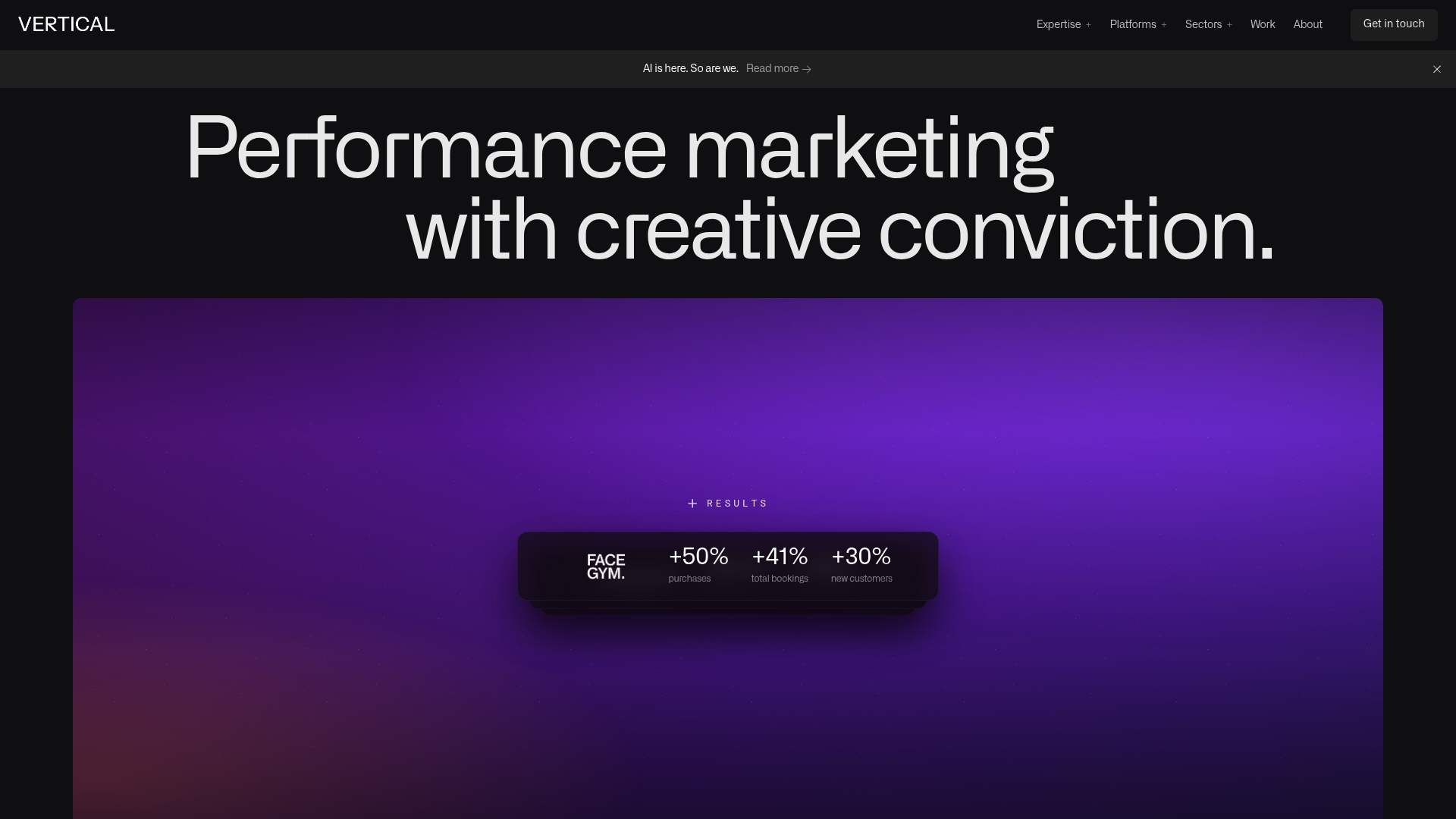
When we rebuilt tracking and paid social for FACEGYM, the improved attribution feeding Meta’s optimization contributed to a 50% increase in purchases and a 41% rise in bookings. That kind of lift doesn’t come from the API alone. It comes from clean event data reaching Meta’s systems consistently enough for its algorithms to actually learn from it.
Where Does CAPI Fit in a Longer-Term Measurement Strategy?
CAPI is one layer, not the whole system. It works best alongside client-side signals and a back-office reconciliation process that checks Meta’s reported numbers against your actual sales ledger every week. Collect consent first, map every identifier to a system of record, and monitor EMQ as a health metric rather than a one-time setup task. Server-side delivery doesn’t exempt you from consent obligations. Data-processing rules still apply regardless of where the event originates. Platforms and privacy regulations keep shifting, so treat this setup as something to revisit, not something to finish once and forget.
How Vertical Brands Approaches Conversions API Projects
Getting server events flowing cleanly into Meta is only half the job. The other half is making sure that data actually improves how campaigns spend and scale, which is where a lot of technically correct CAPI setups still underdeliver. Vertical Brands builds the tracking and the media strategy together, rather than handing you a working integration and leaving optimization as an afterthought.
The team combines engineering work, correct payload structure, deduplication logic, EMQ monitoring, with paid social strategy that uses the improved signal to shift budget toward what’s converting. That combination matters because a well-built CAPI feed with no strategy behind it just produces cleaner data nobody acts on. Handling the CRM side includes capturing and storing identifiers like fbc so that long-latency conversions can be traced back to the right campaign, an approach that pairs naturally with a well-structured ecommerce CRM setup.
If your Meta attribution has been drifting and you’re not sure whether the fix is technical or strategic, reach out for professional advice to scope the work and determine the best approach.
— Alex
Where to Find the Official Documentation
Meta’s own Conversions API reference is the starting point for any implementation, covering required fields, supported event types, and the Test Events tool. For field-level payload structure, the OpenAPI/Swagger specification documents exact data types and hashing requirements down to the individual field.

For platform-specific setups, Twilio’s Conversions API Actions documentation shows how integration platforms map events into Meta’s schema, useful if you’re routing data through a customer data platform rather than building a direct connection. If your stack runs on a major commerce platform, it’s also worth checking how your platform’s integration ecosystem handles server-side event routing before you build anything from scratch.
Sources
- Conversions API - Meta for Developers - Facebook
- Facebook Conversions API (server-side) OpenAPI / Swagger
- Meta Conversions API (CAPI) Setup Reference — Complete Implementation Guide | Cogny
- Meta Conversions API Setup Cost: A Scope-Based Guide
FAQ
What Is the Facebook Conversions API?
It’s Meta’s server-to-server method for sending conversion events, like purchases or leads, directly from your servers to Meta’s ad systems. It works alongside the Pixel to capture actions that browser-based tracking misses.
Is the Meta Conversions API Free?
Yes, Meta doesn’t charge for the API itself. Costs come from the implementation route you choose, whether that’s a free one-click integration, a hosted gateway with a recurring fee, or engineering time for a custom build.
How Do You Set Up the Conversions API on Facebook?
Choose an implementation route (one-click integration, server-side GTM, hosted gateway, or custom build), then map your events to required fields like event_name, event_time, user_data, and action_source. Test every event in Events Manager using a test_event_code before relying on it in production.
What’s the Difference Between the Facebook Pixel and Conversions API?
The Pixel tracks activity in the browser using JavaScript, while the Conversions API sends the same event data directly from your server. Running both together, with matching event_id values for deduplication, recovers events that ad blockers, browser privacy settings, or multi-domain checkouts would otherwise hide from the Pixel alone.
Do I Still Need the Pixel if I Set Up Conversions API?
Yes. Meta recommends running both together rather than replacing one with the other, since deduplication lets you keep the Pixel’s speed and simplicity while CAPI fills in the gaps. Dropping the Pixel entirely removes a layer of redundancy without adding any real benefit.
Recommended

Other posts























































Stay ahead with better decisions.
Get business insights today.
